Microsoft AI Training: Building Skills for Industrial Applications
Discover how Microsoft AI training programs equip professionals with Azure, Copilot, and machine learning skills. See why industrial sectors like mining and tunneling are rapidly adopting AI for automation, safety, and efficiency gains across their operations.
Table of Contents
- The Microsoft AI Training Ecosystem
- Role-Based Training Paths
- AI Training for Industrial Environments
- Choosing and Implementing Microsoft AI Training
- Questions from Our Readers
- Comparison of Training Approaches
- Practical Tips
- Wrapping Up
Quick Stats: Microsoft AI Training
- The AI-103T00 course for developing AI apps and agents on Azure lasts 4 days (Microsoft Learn, 2025)[1].
- The Generative AI for Beginners curriculum includes 18 lessons (Microsoft Learn, 2025)[2].
- The AI for Beginners curriculum spans 12 weeks and 24 lessons (Microsoft, 2025)[3].
- The Microsoft AI & ML Engineering Professional Certificate on Coursera contains 5 courses (Coursera, 2025)[4].
Artificial intelligence is reshaping industries from healthcare to heavy machinery, and the mining and tunneling sector is no exception. Microsoft AI training provides the foundational knowledge and hands-on experience needed to implement AI solutions effectively. With role-based learning paths from Microsoft Learn and partnerships with training providers, professionals can gain expertise in Azure AI services, Copilot, and machine learning without disrupting their work schedules. This article explores the ecosystem of Microsoft AI training, how it applies to industrial environments, and practical steps for selecting the right program for your team.
The Microsoft AI Training Ecosystem
Microsoft AI training is not a single course but a comprehensive ecosystem of resources. The core platform is Microsoft Learn, which offers free, self-paced modules, learning paths, and official certifications. Beyond self-study, Microsoft provides instructor-led training through authorized partners, as well as specialized programs like the Microsoft Professional Program in AI, which covers nine skills at 8–16 hours each (Microsoft, 2025)[5]. Seth Patton, General Manager of Microsoft 365 and Copilot Marketing, emphasized the company’s commitment: “Helping people build new AI skills at scale is just as important as delivering the technology itself, which is why we’re investing heavily in accessible, role-based Copilot and Azure AI training for organizations of every size” (Microsoft, 2025)[6]. This ecosystem ensures that both individuals and enterprises can find content matching their industry’s needs, whether that’s general AI literacy or specialized skills for computer vision in underground mining.
Learning Paths for Every Level
Beginners can start with the 12-week “AI for Beginners” curriculum (24 lessons) or the “Generative AI for Beginners” track (18 lessons). Intermediate users can pursue the AI-102T00 course (5 days) for designing Azure AI solutions, while advanced engineers may enroll in the AI-103T00 course (4 days) for building production AI agents. Satya Nadella, Microsoft’s CEO, noted, “Every organization will need a strategy to train its workforce on AI, and we see our Microsoft Learn, Copilot and Azure AI skilling programs as the foundational layer for building that new AI fluency at scale” (Microsoft, 2025)[7].
Role-Based Training Paths
One of the strengths of Microsoft AI training is its alignment with real job functions. Nicole Herskowitz, Vice President of Microsoft Copilot and Azure AI, explained: “Our AI training content is intentionally mapped to real roles – from executives to frontline employees – because sustainable AI transformation depends on building practical skills, not just theoretical knowledge” (Microsoft, 2025)[8]. For site managers in tunneling operations, this means there are concise modules on “AI for Business Decision Makers” that cover ROI and use cases, while data scientists can dive into Azure Machine Learning and custom vision services. The result is a tailored experience that respects a learner’s time and prior knowledge. A mining engineer, for example, could take the 3-hour “Embark on your AI journey with free AI tools from Microsoft” course (Microsoft Learn, 2025)[9] before moving to more technical tracks.
Microsoft also offers the structured career pathways for AI engineers through official certifications like AI-900 (Azure AI Fundamentals) and AI-102 (Azure AI Solutions). These certifications are recognized globally and increasingly required by employers in heavy industries looking to automate processes like drill monitoring and conveyor belt inspection.
AI Training for Industrial Environments
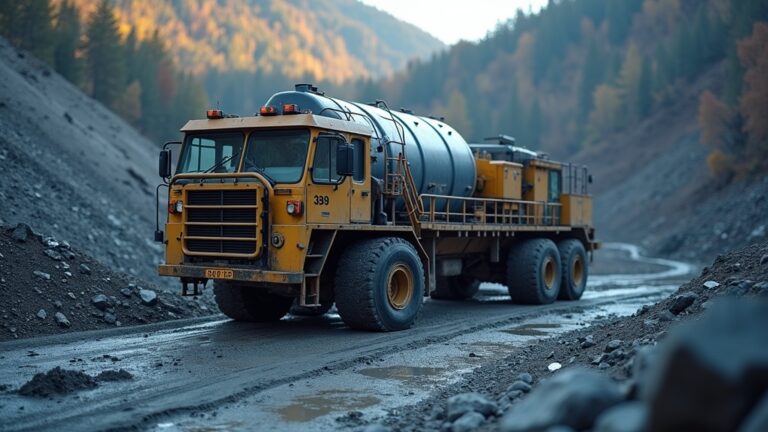
While Microsoft AI training covers broad AI concepts, its application in industrial settings such as mining and tunneling is direct and impactful. For a site that relies on colloidal grout mixing equipment – central to ground stabilization – AI training can enable predictive maintenance models that analyze vibration and temperature data to prevent pump failures. Computer vision models, built using Azure Custom Vision, can detect rock fragmentation size and adjust grout mixing parameters in real time. These capabilities require teams trained in the relevant Microsoft AI tools and platforms. As more mining operations adopt digital twins and IoT platforms, the need for skilled professionals who understand Azure AI grows. That is why many companies now include Microsoft AI training as part of their safety and efficiency improvement plans.
Readers interested in how other tech companies approach AI training can explore our coverage of Amazon AI training and our guide to AI training online, which compare different platforms and delivery methods. For the tunneling industry specifically, focusing on Microsoft AI training is a strategic move because Azure’s data residency and compliance features align well with regulated environments.
Choosing and Implementing Microsoft AI Training
Selecting the right mix of Microsoft AI training requires an understanding of your team’s current skill level and the specific problems you want to solve. Start by auditing internal capabilities: can your engineers already write Python, or do they need foundational AI literacy? Use the free Microsoft Learn modules to close gaps before investing in instructor-led courses. Partner with a certified training provider like AITrainingInc to access customized curricula for industrial teams. Mark Russinovich, CTO of Microsoft Azure, highlighted that “with Foundry, Azure AI and our new agentic frameworks, we’ve updated our training pathways so developers can go from zero to building production-grade AI agents much faster than before” (Microsoft, 2025)[10]. Implementation should blend self-paced learning with hands-on labs and a pilot project – such as building a predictive model for grout pump wear – to demonstrate value quickly.
Questions from Our Readers
Is Microsoft AI training free?
How long does it take to complete Microsoft AI training?
Can Microsoft AI training help with automation in mining?
What certifications are available in Microsoft AI training?
Comparison of Training Approaches
When choosing a delivery method for Microsoft AI training, consider the trade-offs between flexibility, depth, and cost. The table below outlines the three most common approaches used by industrial teams.
| Approach | Duration | Best For |
|---|---|---|
| Self-paced (Microsoft Learn) | Flexible; 8–16 hours per skill | Individuals who need to learn at their own pace, supplement existing knowledge, or explore AI without commitment |
| Instructor-led (partner courses) | 1–5 days | Teams that require structured, interactive learning with expert guidance and lab access |
| Certification-based path | Varies (e.g., AI-900: 1 day; AI-102: 5 days) | Professionals needing formal credentialing for career advancement or employer compliance |
Practical Tips
- Start with the free resources: Before committing budget, have your team complete a few Microsoft Learn modules covering AI fundamentals and Azure Cognitive Services. The 3-hour educator track is a quick win.
- Map training to real site problems: Instead of generic learning, design a pilot project around a specific challenge, like predicting grout pump failure using sensor data. This motivates learners and demonstrates ROI.
- Combine training with certification: Encourage learners to pursue at least one Microsoft certification to validate their skills. The AI-900 is a low-cost entry point that builds confidence for more advanced paths.
- Leverage partner providers: Work with a training partner such as AITrainingInc to customize content for your industry, ensuring examples relate to mining, tunneling, or heavy equipment operations.
Wrapping Up
Microsoft AI training offers a scalable, role-based approach to building AI skills that are increasingly critical for industrial operations. From free self-paced modules to advanced certifications, the ecosystem supports teams in tunneling, mining, and other heavy industries as they adopt predictive maintenance, computer vision, and automation. By investing in Microsoft AI training now, organizations can close the skills gap and deploy intelligent solutions that improve safety and productivity. For more insights, explore our coverage of AI training for various platforms.
Further Reading
- Course AI-103T00-A: Develop AI apps and agents on Azure. Microsoft Learn.
https://learn.microsoft.com/en-us/training/courses/ai-103t00 - Generative AI for Beginners. Microsoft Learn.
https://learn.microsoft.com/en-us/shows/generative-ai-for-beginners/ - AI for Beginners curriculum. Microsoft.
https://microsoft.github.io/AI-For-Beginners/ - Microsoft AI & ML Engineering Professional Certificate. Coursera.
https://www.coursera.org/professional-certificates/microsoft-ai-and-ml-engineering - Microsoft Professional Program in AI. Microsoft.
https://blogs.microsoft.com/ai/microsoft-professional-program-ai/ - AI Learning | Empower Tomorrow’s Innovators. Microsoft.
https://www.microsoft.com/en/empower-tomorrows-innovators/ - Microsoft AI learning hub and skilling resources. Microsoft Learn.
https://learn.microsoft.com/en-us/ai/ - Empower Tomorrow’s Innovators: Deploy scalable AI workforce training. Microsoft.
https://www.microsoft.com/en/empower-tomorrows-innovators/ - Embark on your AI journey with free AI tools from Microsoft. Microsoft Learn.
https://learn.microsoft.com/en-us/training/courses/embark-ai-journey-free-ai-tools-microsoft-education-3hr - Course AI-103T00-A: Develop AI apps and agents on Azure (Quote from Mark Russinovich). Microsoft Learn.
https://learn.microsoft.com/en-us/training/courses/ai-103t00